






Creating a cozy and inviting home office can make working from home more enjoyable and productive. Whether you spend a few hours a day or the majority of your time working remotely, a well-designed workspace helps you stay motivated and comfortable. Here are some practical tips to help you create a home office that feels welcoming and promotes focus.
1. Choose the Right Location
Selecting the ideal spot for your home office is the first step. Consider these points when deciding:
– Natural Light: Position your desk near a window to benefit from natural daylight. Exposure to sunlight can improve mood and energy levels.
– Quiet Area: Pick a space with minimal distractions and noise, such as a spare room or a quiet corner.
– Privacy: Ensure the location offers some privacy, especially if video calls are frequent.
2. Invest in Comfortable Furniture
Comfort is key when you spend hours working at a desk. Invest in furniture that supports your body and reduces strain:
– Ergonomic Chair: Choose a chair with adjustable height, lumbar support, and cushioning to keep your back healthy.
– Spacious Desk: A desk with enough room for your computer, paperwork, and other essentials helps keep you organized.
– Footrest: Bringing foot support into your setup can improve posture and circulation.
3. Set a Soothing Color Palette
Colors influence mood and productivity. Soothing and neutral tones tend to create a calm environment:
– Soft Blues and Greens: Known for their calming effects.
– Warm Neutrals: Shades like beige, taupe, or soft gray add warmth without distraction.
– Personal Accent Colors: Add touches of your favorite colors through accessories or artwork to personalize the space.
4. Enhance Lighting Beyond Natural Sources
Good lighting prevents eye strain and keeps energy levels up:
– Desk Lamp: A lamp with adjustable brightness helps when working at night.
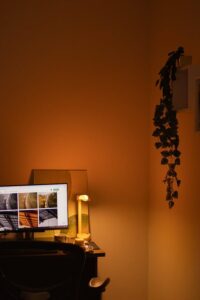
– Ambient Lighting: Soft overhead lights or floor lamps add warmth.
– Avoid Harsh Fluorescents: Opt for warm LED bulbs for a cozy atmosphere.
5. Organize with Smart Storage Solutions
Clutter can affect focus. Keep your home office tidy with:
– Shelves and Cabinets: Use vertical space for books, files, and decorative items.
– Drawer Organizers: Sort supplies like pens, paperclips, and chargers.
– Cable Management: Use clips or sleeves to keep cords neat and out of sight.
6. Add Personal Touches
Making your workspace feel uniquely yours boosts motivation:
– Artwork or Photos: Display images that inspire or make you happy.
– Plants: Indoor plants improve air quality and add life to the room.
– Comfort Items: A soft throw blanket or cushion can make the space inviting.
7. Control Noise Levels
Minimize distractions by managing sound:
– Noise-Canceling Headphones: Useful for busy households or noisy environments.
– Soundproofing: Add rugs, curtains, or acoustic panels to absorb sound.
– Background Music: Some prefer soft instrumental music to enhance focus.
8. Keep Technology Updated and Functional
A smooth-running workspace reduces frustration:
– Reliable Internet: Ensure fast and consistent connectivity.
– Proper Equipment: Use a quality keyboard, mouse, and monitor for comfort.
– Backup Solutions: Cloud storage and external drives protect your work.
9. Encourage Movement and Breaks
Incorporate habits and features that promote wellbeing:
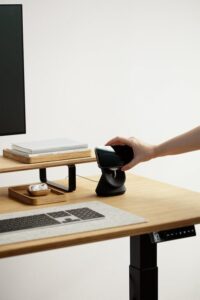
– Standing Desk Option: Adjustable desks that allow standing can improve circulation.
– Timer or App Reminders: Set regular reminders to stand up and stretch.
– Ergonomic Accessories: Wrist rests and adjustable monitor stands help maintain good posture.
10. Maintain a Clean Workspace
A neat environment supports clear thinking:
– Daily Tidy-Up: Spend a few minutes each day clearing the desk.
– Weekly Deep Clean: Dust and sanitize equipment regularly.
– Minimalist Approach: Keep only what you need on your desk.
—
Creating a cozy and inviting home office doesn’t require a full renovation. By focusing on comfort, organization, and personal touches, you can craft a space that makes working from home more productive and enjoyable. Start with small changes and adjust your setup over time to best suit your needs.


More Stories